Terraform for beginners: build your cloud with code, not clicks
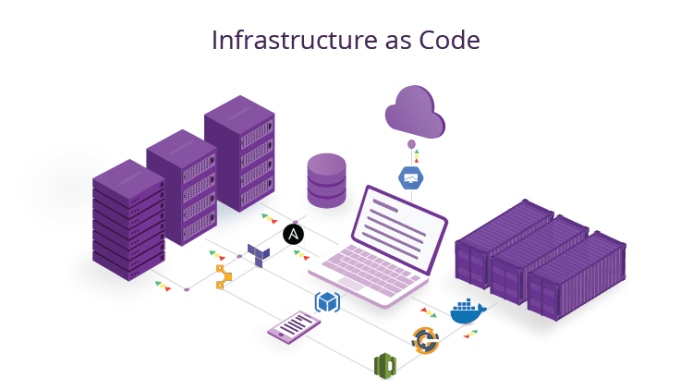
Terraform is an Infrastructure as Code tool: instead of clicking in a cloud console, you describe your servers, databases, and networks in text files. Terraform then creates exactly that, and can rebuild it identically anytime. It works across AWS, Google Cloud, and Azure, making your infrastructure reproducible, reviewable, and version-controlled.
Setting up cloud infrastructure by clicking through a console works once, but it is impossible to reproduce reliably, hard to review, and easy to get subtly wrong the second time. Infrastructure as Code fixes this, and Terraform is the most popular tool for it. You write what you want; Terraform builds it.
What Infrastructure as Code means
Infrastructure as Code (IaC) means defining your servers, databases, networks, and other cloud resources in text files instead of creating them by hand. Those files become the single source of truth for what your infrastructure should look like.
Because it is code, you can store it in Git, review changes before applying them, reuse it across projects, and rebuild your whole environment identically, on a new account, in a new region, after a disaster, from the same files.
How Terraform works
You write configuration files describing the resources you want (for example, a server of a certain size, a database, a network). You run terraform plan to preview exactly what will change, then terraform apply to make it happen.
Terraform keeps a state file that records what it has created, so it knows the difference between what exists and what you have asked for, and only changes what needs changing. This preview-then-apply loop is what makes it safe.
Why it works across clouds
Terraform uses providers, plugins for AWS, Google Cloud, Azure, and hundreds of other services. The same tool and workflow manage any of them. You still write cloud-specific resources, but the process, plan, apply, version, is identical everywhere.
This is why Terraform is a valuable, portable skill: learn it once, use it on any cloud your work touches.
The real benefits for small teams
Reproducibility: spin up an identical staging environment to test safely, then tear it down to save money. Review: infrastructure changes go through the same review as code, catching mistakes before they hit production. Documentation: the files are the documentation of what exists.
For a small African team without a dedicated operations person, IaC means your infrastructure is not trapped in one person's memory or a pile of manual console clicks, it is written down, shareable, and rebuildable.
Starting safely
Begin small: manage one or two resources with Terraform rather than your entire infrastructure at once. Always run terraform plan and read it before applying, it shows exactly what will be created, changed, or destroyed.
Store your state file securely (not in public Git) and never hard-code secrets in configuration. As with every powerful tool, start on a test project, build confidence, then adopt it for real workloads.
Key takeaways
- Terraform is Infrastructure as Code: you describe cloud resources in text files, and it builds exactly that, reproducibly.
- Write configuration, run plan to preview changes, then apply, the preview step is what makes it safe.
- It works across AWS, Google Cloud, and Azure via providers, making it a portable, high-value skill.
- Start small, always read the plan before applying, store state securely, and never hard-code secrets.
Frequently asked questions
The basic loop, write configuration, plan, apply, is approachable and you can manage a single resource on day one. The complexity comes later with large setups and advanced features. Start by managing one small resource and grow from there.
Yes. Terraform automates creating cloud resources, but you must still understand what those resources are, servers, networks, databases, and how they fit together. Terraform is a tool for building infrastructure well, not a substitute for understanding it.
The state file is Terraform's record of what it has created. It lets Terraform know the difference between the real infrastructure and your configuration, so it only changes what is needed. Protect it, store it securely and never commit it to public version control, as it can contain sensitive details.
Sources
- HashiCorp, 2026. "Terraform documentation."
- HashiCorp, 2026. "What is Infrastructure as Code?."
- HashiCorp, 2026. "Terraform tutorials."
Want reproducible, version-controlled cloud infrastructure? Kaevor builds Infrastructure as Code setups with Terraform for African teams. Message us on WhatsApp, we respond same day.
Chat on WhatsApp →